
Bexar’s Public Search Has Limits
The Active Felony Warrants map is the county’s main public name search for active felony warrants. Its single text field and Search and Clear controls are simple, but the result set is a subset. There is no posted update schedule on the inspected map. A person should not treat an empty result as proof that no warrant exists in Bexar County.
Search the Justice Information Portal as a separate step. It combines court records, fugitive search, and bail search, but it does not expose every secured matter or document image. A city or JP warrant may remain outside the public felony list, so the issuing court remains the best source for its own record.
The county’s active-felony search screen shows a single public search field and the list name.
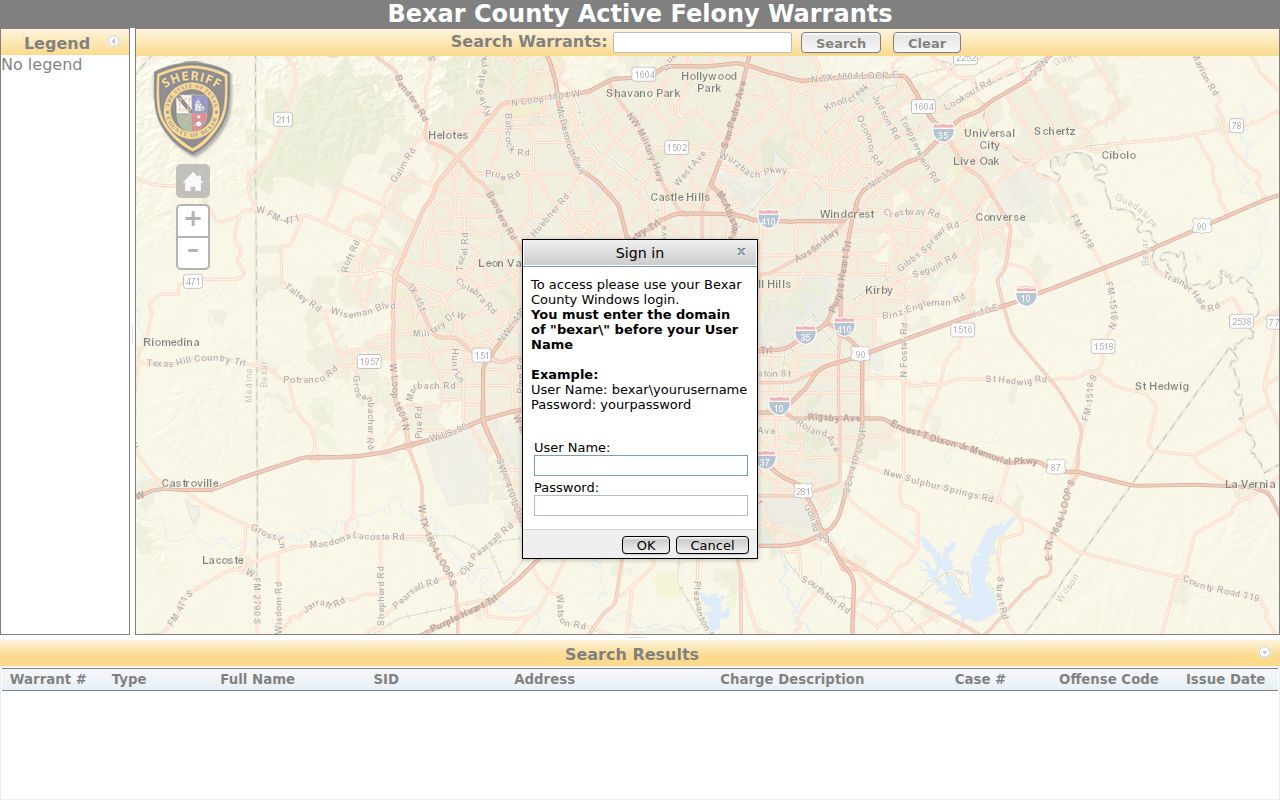
Use that map for an initial felony check, then confirm any match directly with the Sheriff’s Office.
Bexar County Warrant Searches
Match each search to the court or agency that may hold the case. Begin with your full name and any known citation, cause, or booking number. San Antonio’s municipal case search accepts a name with date of birth, driver-license number, citation number, or case number. The Justice Portal accepts a record number or name. A JP ticket should be checked with the precinct listed on the ticket.
Use more than one source when a matter may cross court levels. The county’s public map is for active felonies; city citation systems and JP records are separate. A relative can help gather paperwork and contact details, but the person named should confirm identity and status with the official office.
- Search the Bexar active felony map and Justice Portal separately, using the name or case number printed on court papers.
- For San Antonio municipal cases, use the city search with name and DOB, DL, citation number, or case number.
- For a JP ticket or city citation, call the issuing precinct or municipal clerk; do not assume the sheriff map includes it.
- Call BCSO at 210-335-6030 or 210-335-6050 for county warrant routing, or request a report through the correct records desk.
- Texas has no single public statewide warrant search. Contact each issuing court about a DPS/OmniBase hold, then seek legal advice about a hit.
What a Bexar Search Asks For
Search forms use different keys, and only the San Antonio system advertises a date-of-birth field. The county map has one text box. The Justice Portal guide describes name, record-number, location, type, case-status, date, officer, FBI, Sheriff’s Office, and booking-number filters. Its wildcard rules are useful for spelling variants, but the public search still has a 200-result limit.
| Field Label | Type | Required | Notes |
|---|---|---|---|
| Active Felony map | One text box | Search term | Visible results label warrant, type, name, SID, charge, case, code, and issue date |
| Justice Portal | Name or record number | Search term | Name format is Last, First Middle; wildcard * is supported |
| Advanced party / case | Filters | Optional | Location, case type, status, date range, court officer, FBI, SO, or booking number |
| San Antonio city search | Name, DL, citation, or case | Depends on key | Name search pairs with DOB; advertised docket window is up to 30 days |
What a Bexar Warrant Search Asks For
The county map and Justice Portal do not use one shared form. The map displays a text field only. Smart Search accepts a name or record number, while advanced search can filter by location, case type, status, dates, judicial officer, and certain party identifiers. For San Antonio, use the citation or case number when a common name produces uncertain matches.
| Field Label | Type | Required | Notes |
|---|---|---|---|
| Active Felony search | Text | Term | One input; map does not state DOB or partial-match rules |
| Portal name | Last, First Middle | Term | Not case-sensitive; wildcard * needs enough characters |
| Record number | Case or warrant | Term | Four characters minimum for a case number in the guide |
| Location / case type | Advanced filters | Optional | County Clerk and District Clerk are listed locations |
| San Antonio DOB | Date | With name search | Other keys include DL, citation number, and case number |
Matching Names in the Justice Portal
The portal guide uses a Last, First Middle name format and says searches are not case-sensitive. An asterisk can replace missing letters, but the guide sets minimum input lengths: one first-name character, three last-name characters, or four case-number characters. Those rules widen a search; they do not prove that two similar names belong to the same person.
Use the case number, date of birth, and court location from your own paperwork to sort possible matches. The portal may return up to 200 results, so narrow broad searches with the advanced filters instead of relying on a name alone. Do not post or reuse someone else’s identifiers to test a match.
Bexar County Warrant Search Results
Results can show enough to find the next office, but they are not a full case file. The active-felony list has a warrant number, type, name, SID, address, charge, case number, offense code, and issue date. The portal guide says a warrant-number click may show basic information first. A case-detail search may show related entries, though some warrant details are limited to authorized users.
| Warrant Number | YYCR######-W### is a guide format example, not a live warrant. |
|---|---|
| Charge / Offense | Charge description and offense code appear on the active-felony list. |
| Issuing Court | Check the case location and court record; county felony and misdemeanor offices differ. |
| Bond Amount | Use the Bail Bond Search or confirm with the court; the warrant list alone may not show it. |
| Status | The portal guide gives “Warrant Executed” and “Warrant Recalled by Court” as examples. |
Bexar Results Have a Ceiling
The Justice Portal guide says a search can return up to 200 results. The default columns are case number, defendant, type, party name, and party type; users can sort results and display up to six columns. A case detail begins with 50 events, with options to show more. These limits shape what a public searcher sees and can make a broad name search hard to read.
The public portal also excludes secured categories such as juvenile, adoption, child-protection, mental-examination, and other protected matters. Some warrant-search functions require justice-partner security. A public case index is not an all-warrant register, and the county did not post the map’s update cadence. Call the court or sheriff for a current answer about your own case.
Bexar County Warrants: Who Holds What
District Clerk records cover felony district-court filings; the County Clerk handles misdemeanor records in its system. The four JP precincts keep their own citation and Class C routes. San Antonio and other cities control municipal cases. The Sheriff’s Criminal Warrant Section gives phone routing and status help, while BCSO Central Records handles report requests. Those functions do not merge into one public search screen.
Texas DPS and OmniBase track court-reported failure-to-appear or failure-to-pay compliance for driver-license renewal. DPS does not provide a public warrant lookup. Contact the issuing court first, then allow several business days for a court update to reach the state system. If multiple courts reported a hold, each one must be addressed separately.
When Bexar Online Search Is Not Enough
Call BCSO Criminal Warrant Section at 210-335-6030 or 210-335-6050 for county warrant questions. The listed phone menu routes attorney or bondsman calls, extradition or detainer questions, and law-enforcement warrant information. For active-warrant processing confirmation, the county lists 210-335-2592. A phone call can confirm routing, but a report or court filing may require a written request.
BCSO’s open-records form requests a specific incident or case when known, asks how to deliver the response, and asks the requestor to approve cost estimates and redactions. It states up to ten business days and warns that an uncollected report may be destroyed after seven days. Its inspected version did not state a fixed fee. Use the county records portal if the right department is unclear.
Restricted Warrants and Access Rules
Public access depends on the record and the law that protects it. Texas Government Code Chapter 552 generally allows inspection and copying of public information, but confidentiality rules, privacy redactions, and law-enforcement exceptions still apply. Juvenile records have separate limits under Family Code Chapter 58. The court or agency may also withhold material tied to an open investigation.
Key Rules:
Sealed or secured cases may not appear in a public search; ask the issuing clerk what can be released.
Texas Family Code Chapter 58 limits access to juvenile law-enforcement and court records.
The Bexar active-felony map does not post an update schedule; absence from that list is not proof no warrant exists.